# Using Komodo to manage Docker compose on a small cluster
*2025-05-05 — note*
With the [sunsetting of Equinix Metal](https://www.tunbury.org/equinix-moves/)
I've also been migrating the Recoil machines over to new hosts in [Mythic
Beasts](https://www.mythic-beasts.com/). This time around, rather than manually
setting up services, I've turned to a nice new tool called
[Komodo](https://github.com/moghtech/komodo) which helps with deploying Docker
containers across multiple servers. Unlike many [other](https://kubernetes.io/)
container management solutions, Komodo is refreshingly simple. It has a mode
where it can take _existing_ [Docker compose](https://docs.docker.com/compose/) files on a
given host, and run them, and provide a web-based monitor to keep an eye on a
few machines.
## The Komodo interface
There's an online [demo](https://demo.komo.do/) of Komodo available (user/pass
is demo/demo). The basic idea is that you first register servers (see below for
"Periphery"), and then add in "Stacks" which represent a service each.
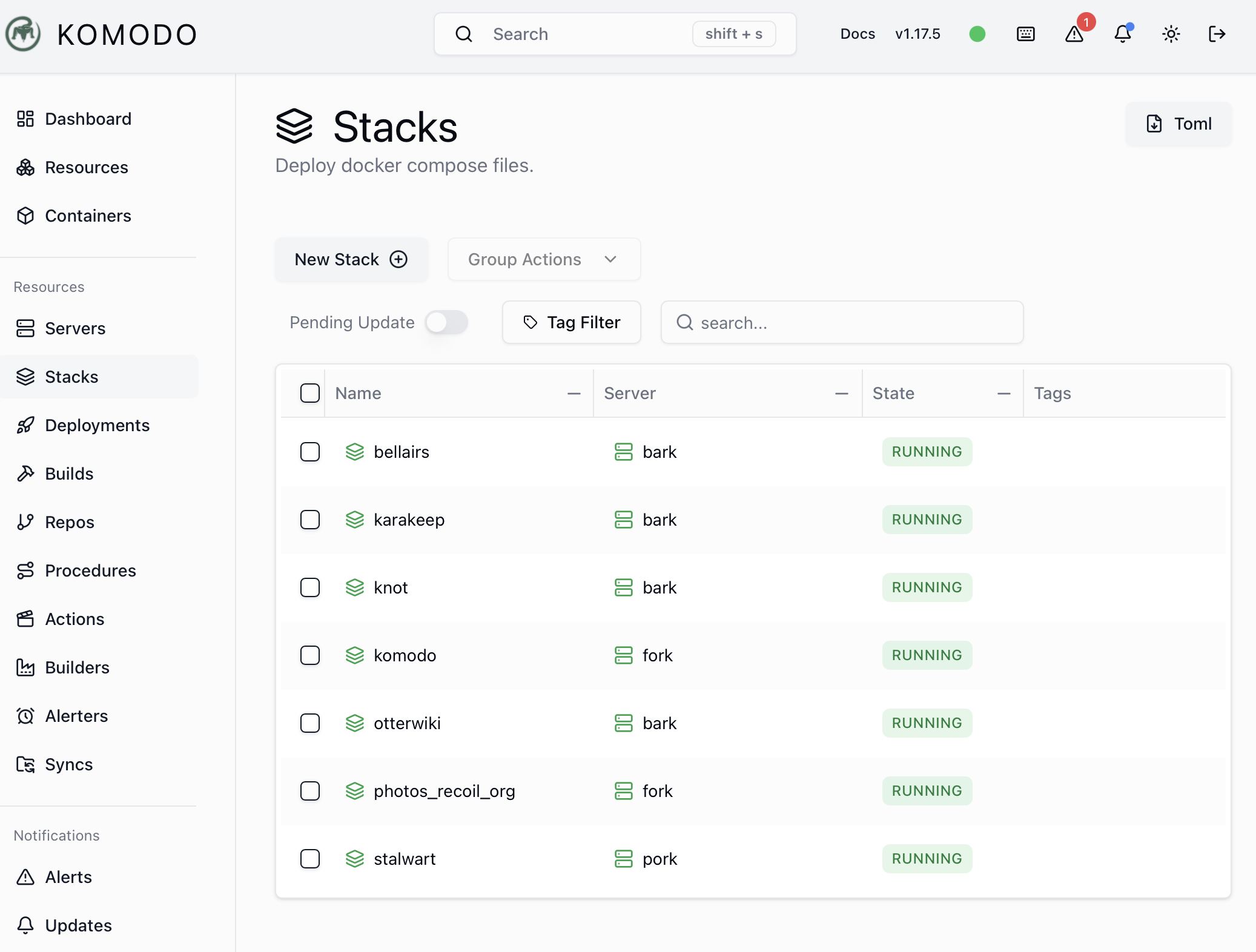
The list of Stacks running on Recoil
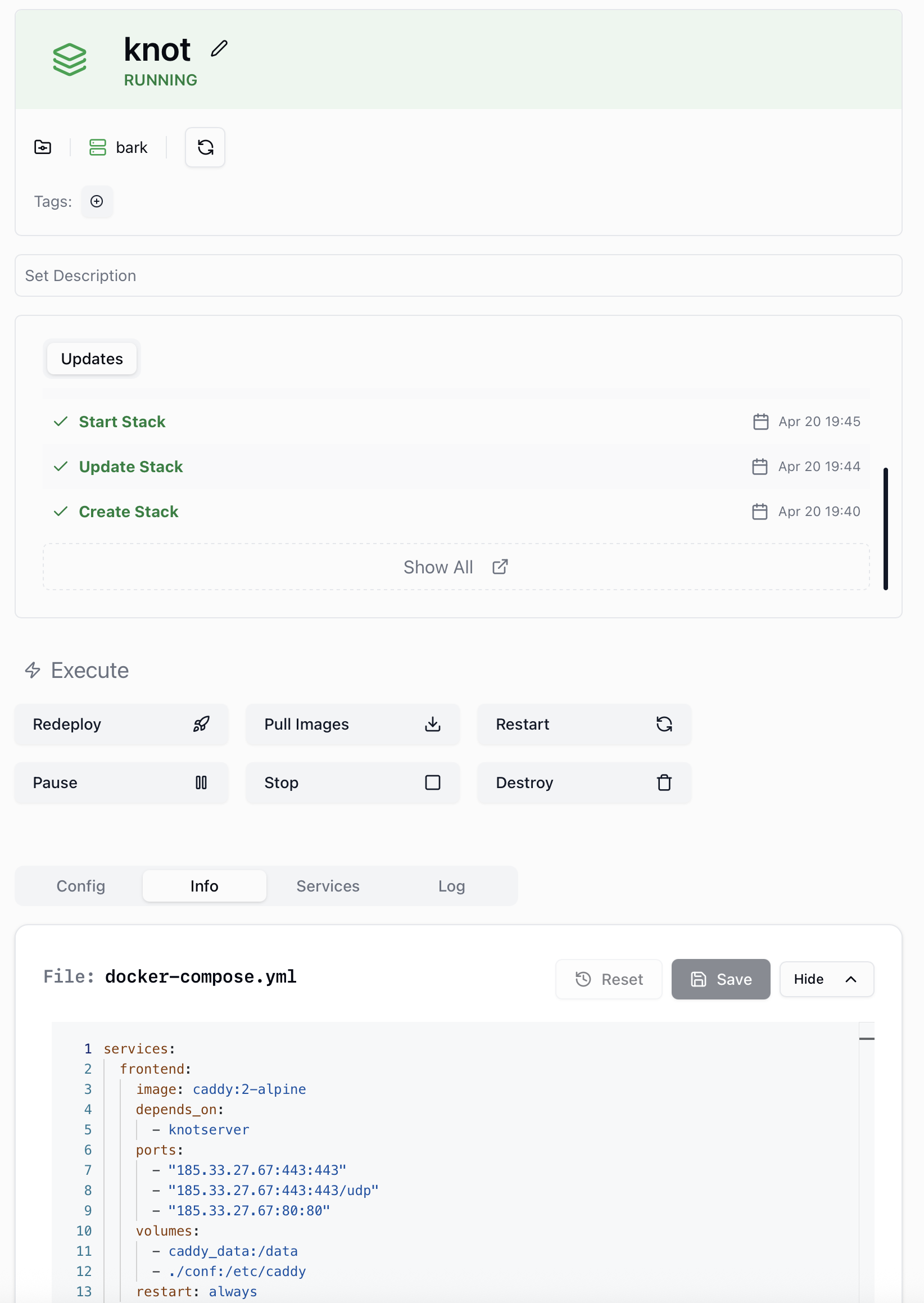
Every stack is configured to run a `docker-compose.yml` service that is already
present on the host, and the web UI has a convenient way of pulling, deploying
and polling the Docker Hub to check for updates.
The stack view for a Tangled.sh knot running on Recoil
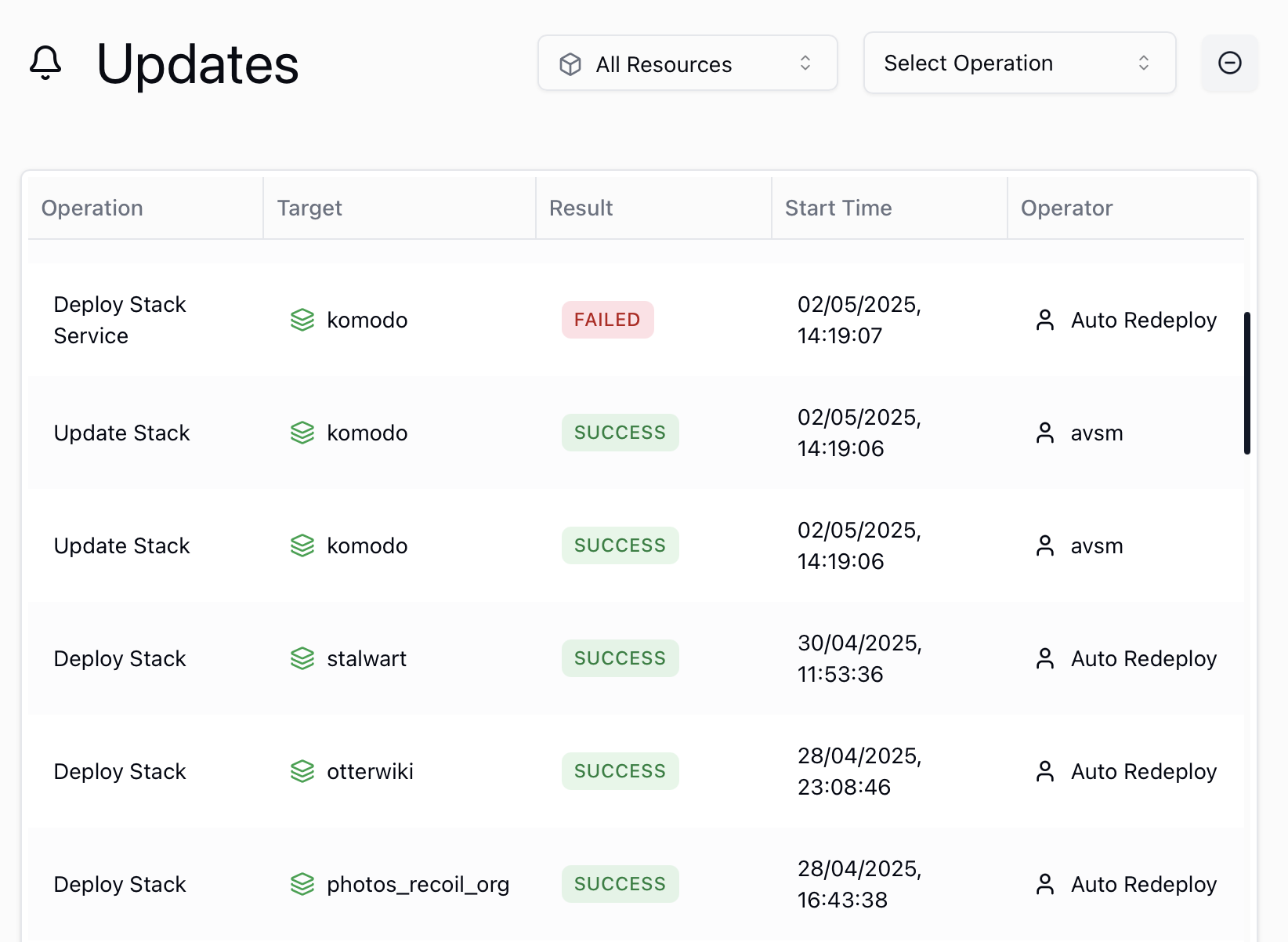
The autoupdate functionality is quite cool (if a touch risky), as it polls for the
images on the Docker Hub and updates to those automagically. While I've activated
this for services I'm happy autoupdating, it's also accompanied by a healthy
dose of [ZFS snapshotting](https://anil.recoil.org/notes/syncoid-sanoid-zfs) so I can roll back if anything
untoward happens.
The alert view of autoupdates from polling the Hub
Most importantly to me is that I can always switch away from Komodo at any time
and directly interact with the services on the host using the normal `docker` CLI.
Komodo is just coordinating the compose invocations in the lightest way possible,
and not wrapping them in such a way that I lose access.
## Setting up Periphery with a Wireguard mesh and dsnet
Komodo operates across multiple hosts by using something called a [periphery agent](https://komo.do/docs/connect-servers)
which the main host issues RPCs to in order to do something. This is obviously quite a privileged operation, and so rather than
expose it to the Internet I setup a Wireguard tunnel mesh across the Recoil hosts for these operations to go over.
The easiest way to do this was via [dsnet](https://github.com/naggie/dsnet), which generates the configurations and keys
suitable for a [wg-quick](https://www.man7.org/linux/man-pages/man8/wg-quick.8.html) service to run on each host and connect
to their peers. Following the instructions let me setup this mesh in minutes; this is a much simpler solution than
[Tailscale](https://tailscale.com) due to the lack of flexibility, but all I want here is few hosts connected by static interfaces
and with no need for [complex NAT punching](https://tailscale.com/blog/how-nat-traversal-works). Once the dsnet configuration is
setup, all that's needed is to activate the `wg-quick` service on each of the hosts, and they spin up a virtual interface.
After this, the Periphery setup was straightforward but with one twist. I configured the agent to bind to the wireguard IP, e.g.:
```
/etc/komodo/periphery.config.toml
################################
# 🦎 KOMODO PERIPHERY CONFIG 🦎 #
################################
port = 8120
bind_ip = "10.100.0.2"
```
But then on reboot the periphery agent would fail to startup due to the wireguard service being too low a priority in the boot order. This was fixed by a systemd tweak (which took me longer to figure out than the rest of the entire setup altogether, since I find systemd utterly inscrutable).
```
/etc/systemd/system/periphery.service
[Unit]
Description=Agent to connect with Komodo Core
After=wg-quick@wg0.service
```
This little tweak to the script, followed by umpteen `daemon-reload` prods and
reboots to get systemd happy, did the trick.
I'm pretty happy with Komodo, thank you to the devs! It's a system that's simple enough that I can try
it out progressively, and can bypass easily if required, and provides a very
useful part of the [\##selfhosting](https://anil.recoil.org/tags/selfhosting) jigsaw puzzle.
Synopsis: Guide to deploying Komodo container management tool with Wireguard mesh networking for coordinating Docker services across multiple hosts.
Words: 629
DOI: 10.59350/4hq78-m8c88
## Related
- [Semi distributed filesystems with ZFS and Sanoid](https://anil.recoil.org/notes/syncoid-sanoid-zfs) (note, 2025-04-05)
---
Canonical: https://anil.recoil.org/notes/komodo-docker-compose
Type: note
Tags: selfhosting, docker